
MANUAL ENTRY PRACTICE FOR MT5
Practice your entry decisions on past charts, again and again.
Replay past charts with real MT5 price data and practice manual entries as many times as you like, without seeing the future. A Windows app.
VIDEOWatch the video
See how a practice session works in a short video.
CONCEPT"Replay" the chart and sharpen your entry decisions
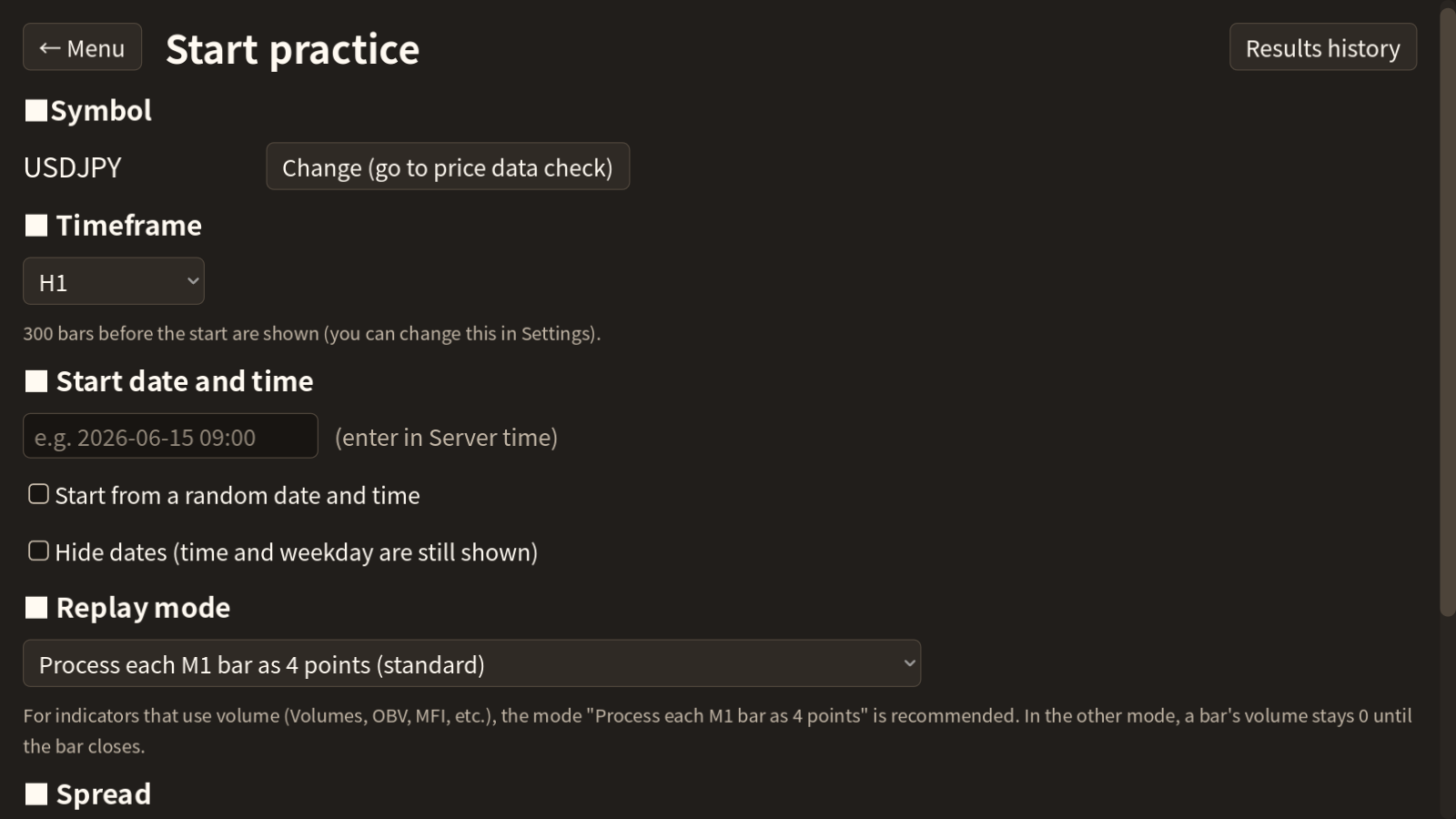
No need to sit in front of a live market. Start from any past date and practice on a chart that moves bar by bar, just like in real time.
Replay past markets with real MT5 data
- Price data comes from your broker's MT5 demo account. It's saved on your PC, and only missing periods are downloaded next time.
- Each M1 bar is played as 4 points (open, high, low, close), the same idea as the MT5 Strategy Tester.
- 10 replay speeds from 0.25 to 100 bars per second. Pause and step one bar or one point at a time.
- Switch timeframes (M1–MN1) even while replaying.
Close to the real thing: the future stays hidden
- Everything after the start date is hidden. Indicators use only data up to the current point.
- "Start from a random date" lets you begin without knowing which market is coming.
- "Hide dates" hides the year and date while you practice.
- Spreads come from MT5 data; you can add extra points or use a fixed value.
Review your results and test your skill
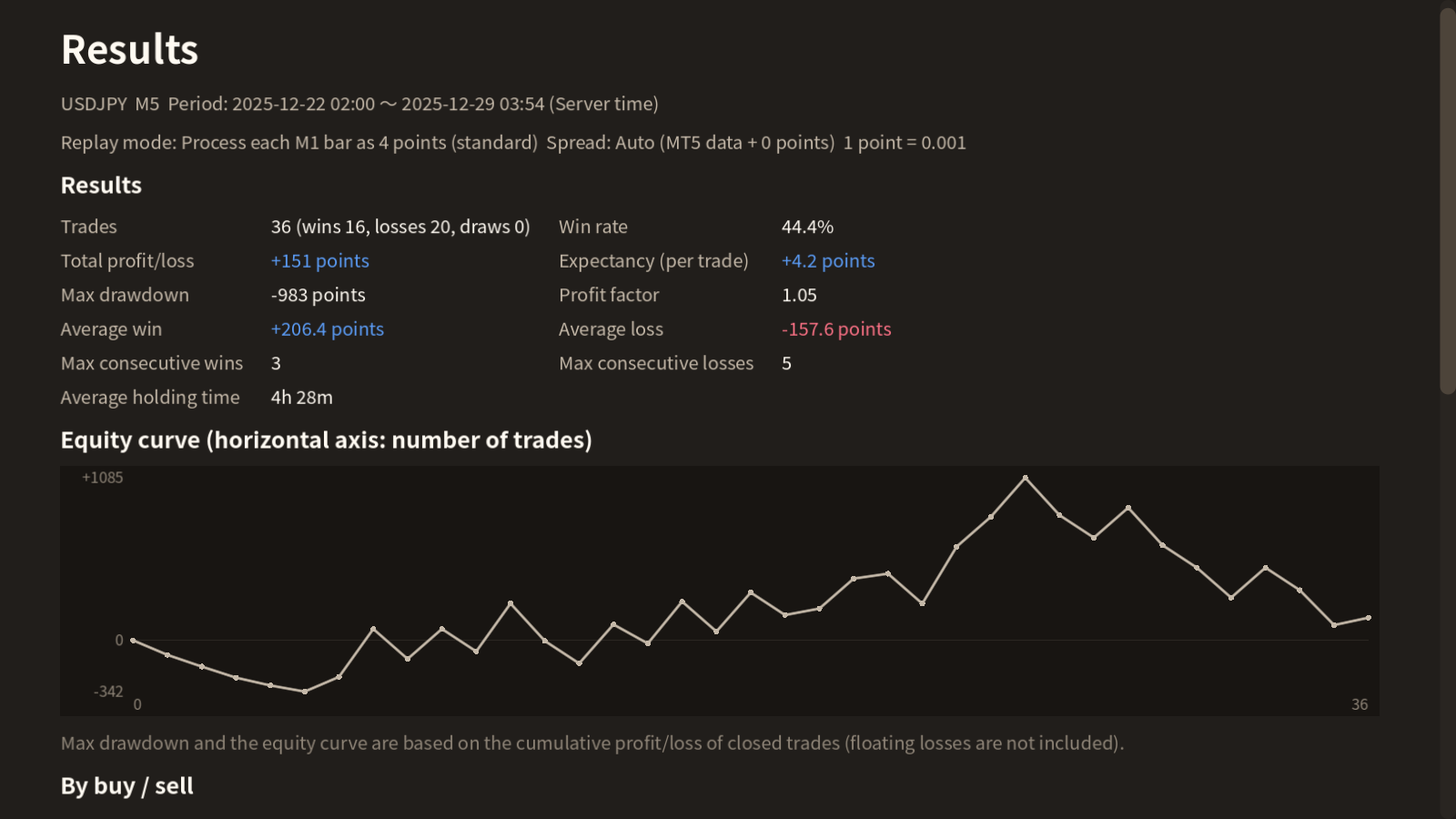
- Win rate, profit/loss, expectancy, profit factor, max drawdown, equity curve, and trade history (with MAE / MFE).
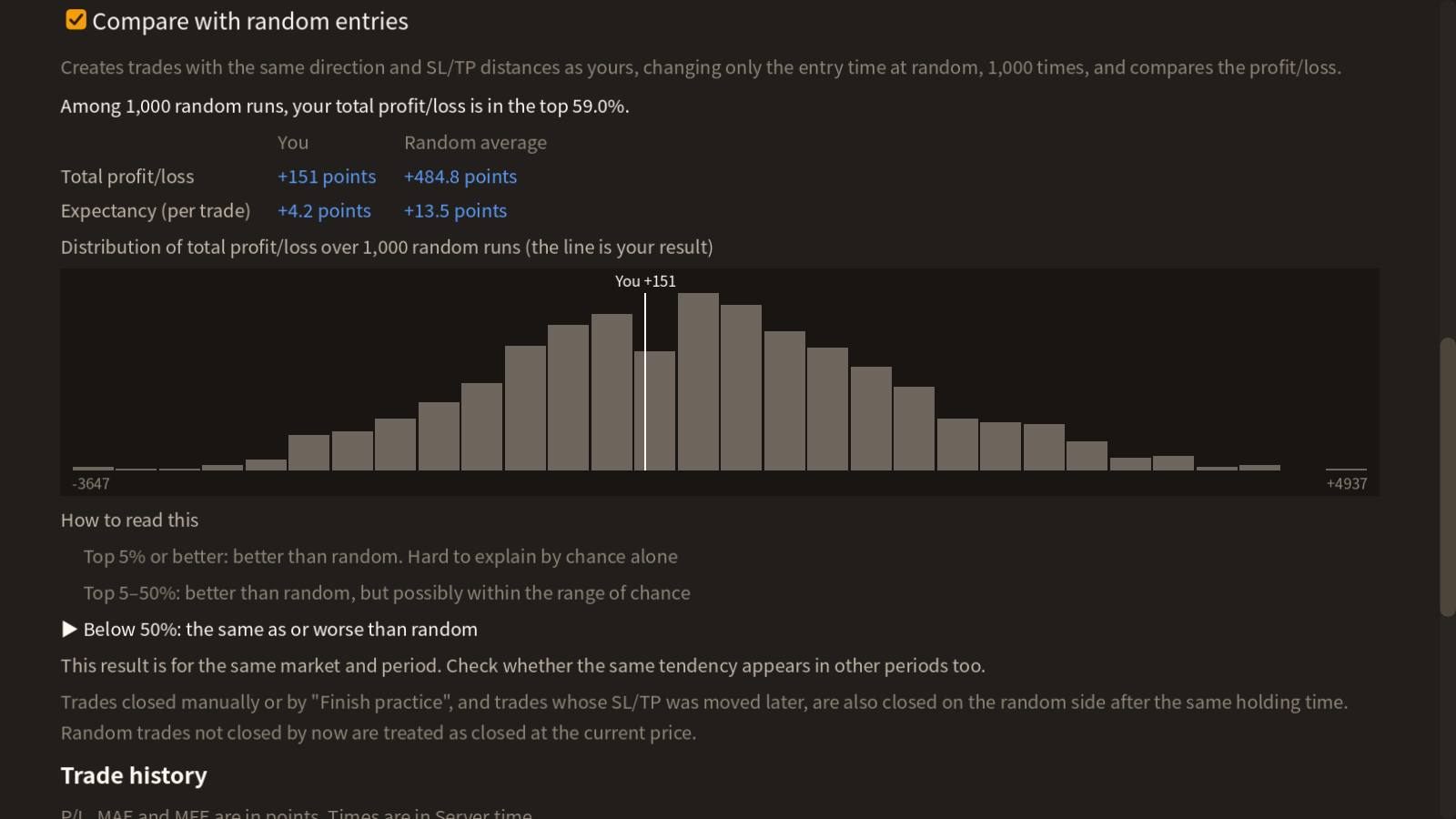
- Compare with 1,000 "random trades" that change only the entry time, to see whether your result could be luck.
- Practice is saved automatically. Suspend it and resume later.
FOR YOUMade for you if you…
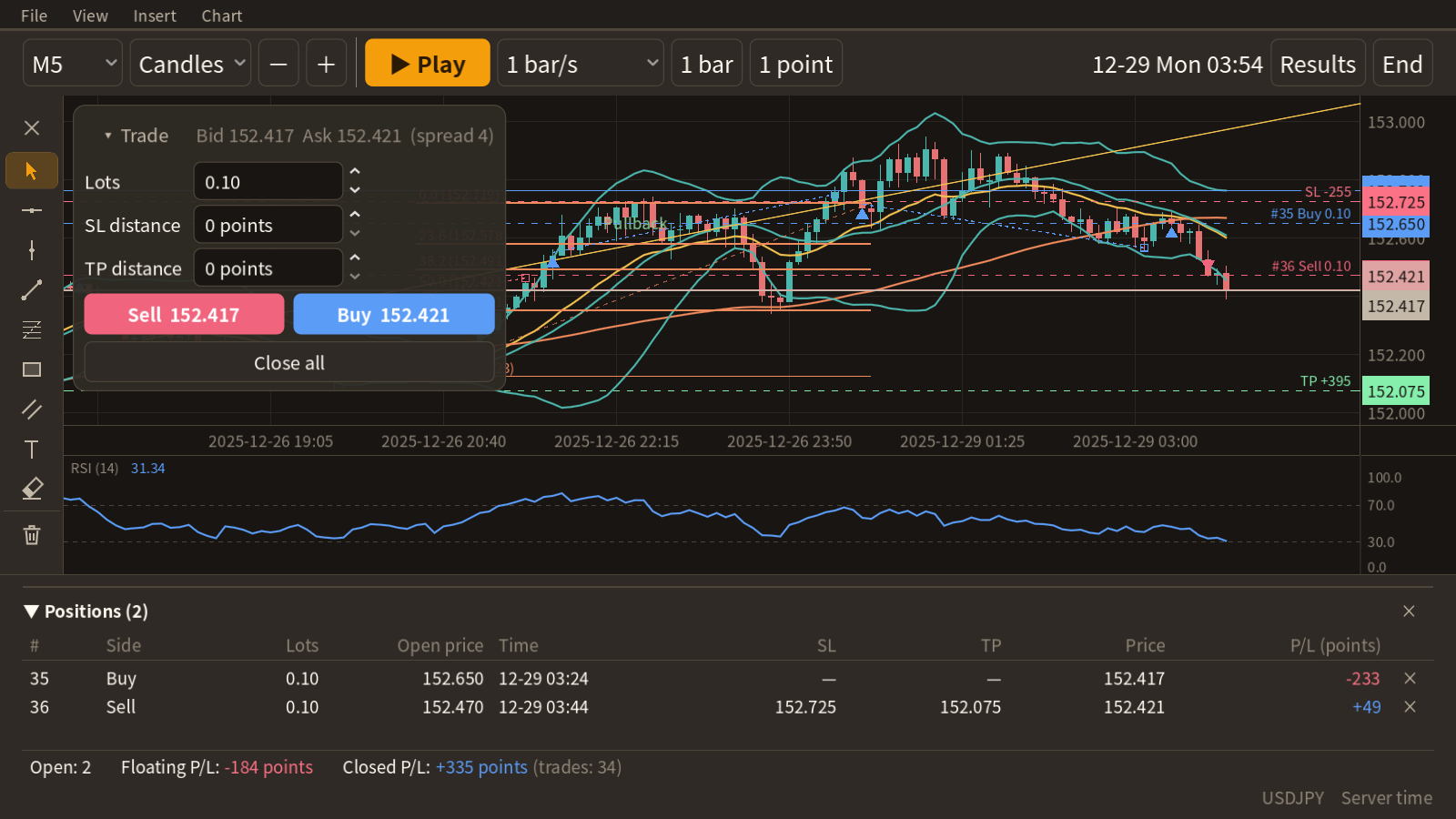
SCREENA practice screen that feels like MT5
Moving averages, Bollinger Bands, RSI, trend lines, Fibonacci and more, laid out the way MT5 users expect.
One-click trading with buttons or keys
Market buy and sell. Set the lots and the SL / TP distance (in points) to attach on entry. Hedging is allowed.
Drag SL and TP lines on the chart
The distance from the entry in points is shown next to each line. You can also right-click a position to enter a price or points.
7 drawing tools
Horizontal line, vertical line, trend line, Fibonacci retracement, rectangle, channel and text, plus an eraser and Ctrl+Z undo.
38 indicators
The MT5 standard indicators, grouped into the same 4 categories as MT5. Calculations follow the MT5 formulas.
Every key can be changed
Assign play, 1 bar, buy, sell and more to the keys you like.
REVIEWReview objectively, and compare with random entries
The results screen opens when you finish a practice. You can also check your results so far during practice.
INDICATORSIndicators that fit your own rules
Save your favorite combination as a "Template" and reapply it with one click.
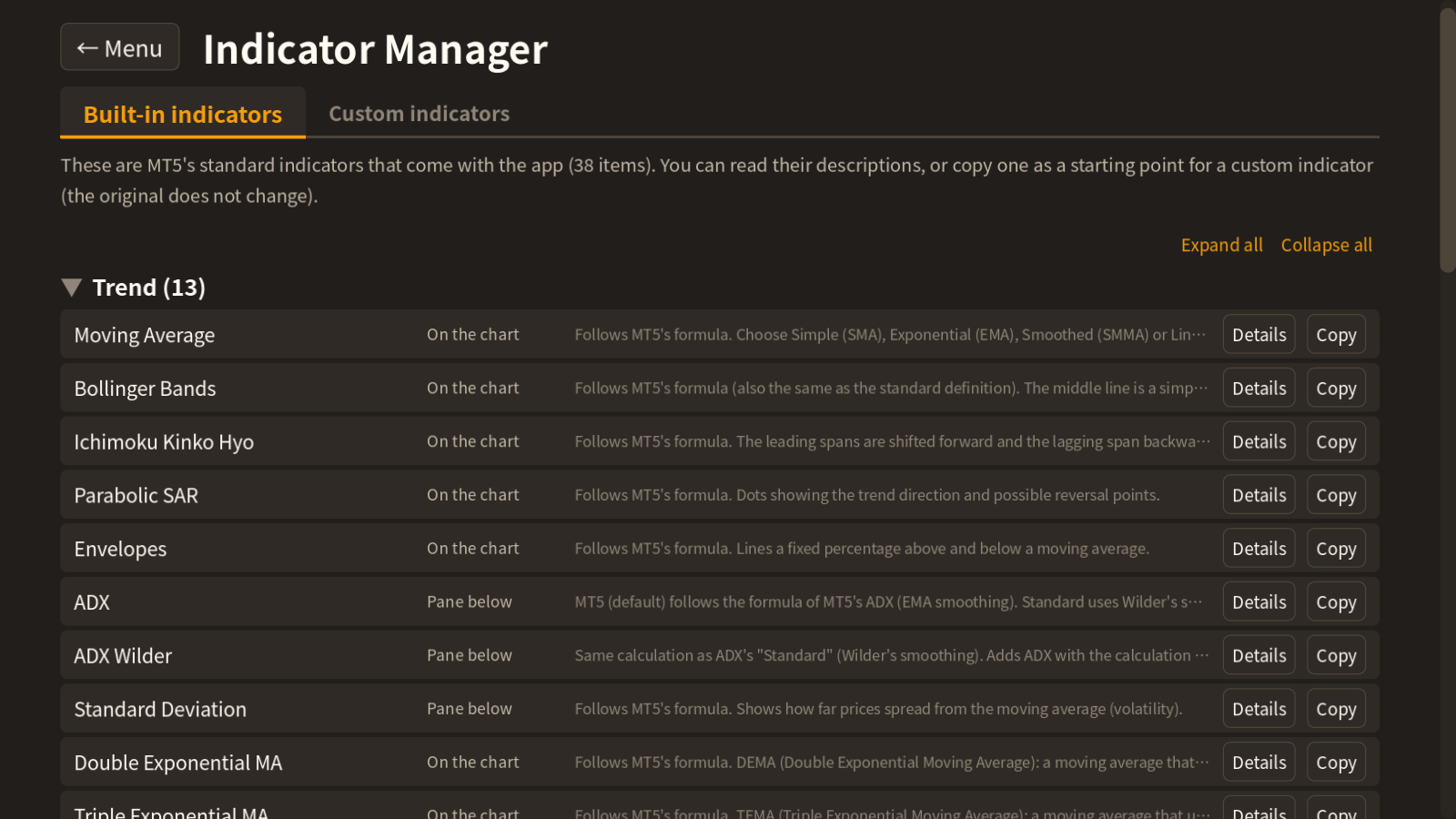
Same categories as MT5
Trend, Oscillators, Volumes and Bill Williams. Moving Average, Bollinger Bands, Ichimoku, RSI, MACD, Stochastic, ATR, ADX, Parabolic SAR, Fractals, Alligator and more. Where the definition differs between MT5 and the common standard (such as MACD and ATR), you can switch between "MT5 (default)" and "Standard".
Custom indicators
Write them in Python with a fixed structure (standard library and numpy). The app includes a writing guide and a prompt for asking an AI to write one. Before importing, the code is checked without running it, and a test calculation looks for errors.
DETAILSWhat you get
Main features
- Chart replay, trading practice, SL/TP
- Results, results history, suspend and resume
- 38 indicators and 7 drawing tools
- Templates (save indicator combinations)
- Compare with random entries ("Top X%", reading guide, table and distribution chart)
- Export results to CSV
- Custom indicators (Python)
Requirements
- Windows 10 / 11 (64-bit)
- The MT5 terminal (terminal64.exe) and a demo account you can use with it
- An internet connection (to download price data)
- No installation needed (extract the ZIP and run)
Designed to be safe
- Demo accounts only: if it connects to any other account, it disconnects immediately.
- No orders are sent: all trading is practice inside the app.
- Your password is stored in a form that can only be read on that PC.
Skill or luck?
Find out with practice.
Try your entries on past charts, as many times as you like.
Get it on itch.io → Opens the store page on itch.io* MetaTrader 5 is a product of MetaQuotes Ltd. This app is not affiliated with MetaQuotes Ltd., and the MT5 terminal is not included.
* This app is practice software and does not promise profits in real trading. Screens show example data, not real prices.