
MT5 ANALYZER
Still backtesting by scrolling through charts? Test it in Python.
No more checking trades by eye, bar by bar. Your AI turns your strategy into code, and this tool tests it on historical data.
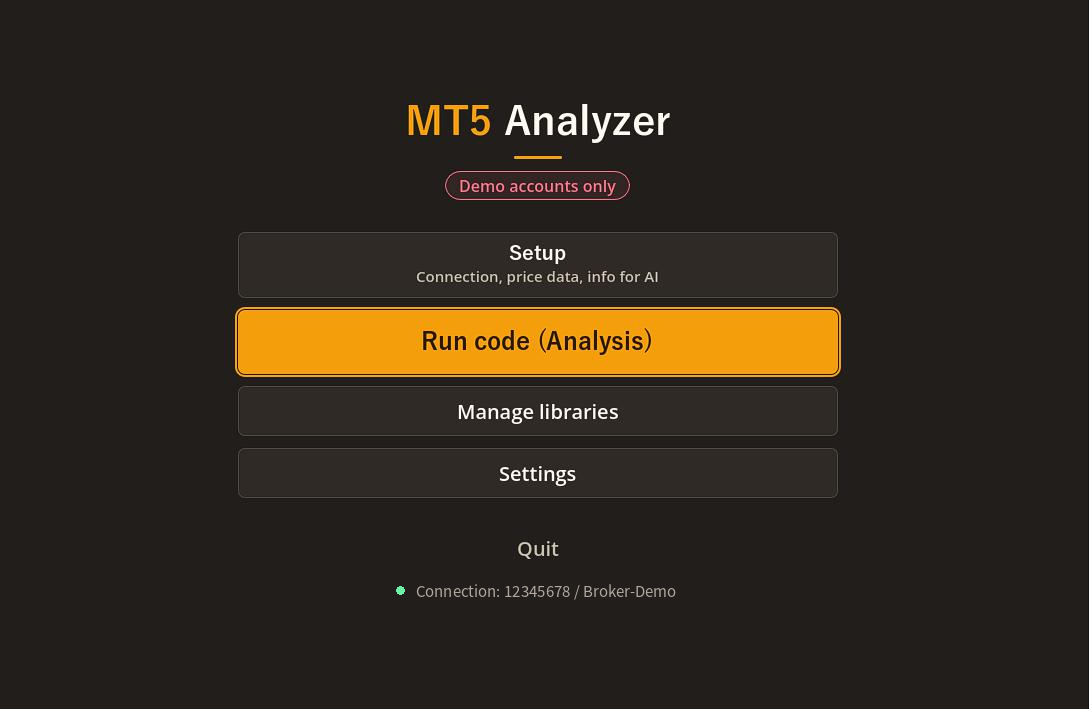
VIDEOWatch the video
See how it works in a short video.
PROBLEMDoes this sound familiar?
When building rules for discretionary trading, testing is where most people get stuck.
With your strategy and the AI you already use, you can test it accurately in Python.
Just describe your rules to the AI in plain words. Paste the code it writes into MT5 Analyzer, and test it on MT5 price data, however many years you need.
The AI writes the code
Ask ChatGPT, Claude, Gemini or any AI you use, in plain words. No programming needed.
Using MT5 price data
Uses your broker's data. The tool passes symbol names and the server time offset to the AI.
Results as a report
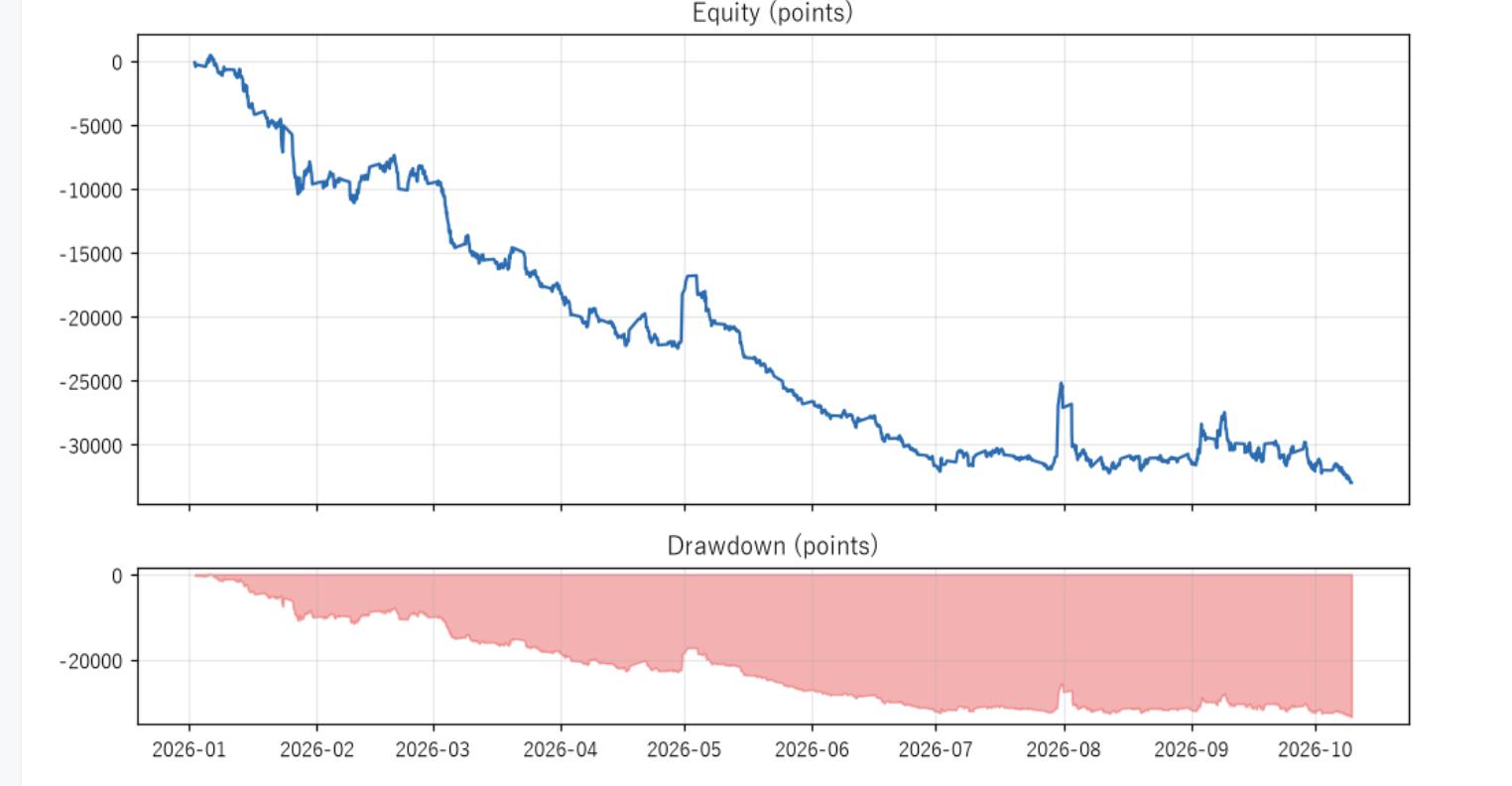
Win rate, profit factor, max drawdown and equity curve, at a glance in your browser.
HOW IT WORKSAll it takes is this
The setup is a one-time job. After that, just repeat "ask the AI → paste and run".
Get a demo account
Open an MT5 demo account on your broker's website (most brokers offer them for free).
Run the connection test
Enter your login details and the MT5 location, then press "Connection test". It also measures the server time offset.
Tell your AI what you want
Describe your strategy and press "Copy request". The tool adds the data and report instructions for you.
Your AI writes the code
Just paste the request, and the AI replies with Python code.
Paste and run
Paste the code and press "▶ Run". The tool connects to MT5, so your ID and password never go in the code.
Check the results
An HTML report opens in your browser when the run finishes. Charts and CSV files are saved automatically.
IDEASYou can ask for tests like these, too
Not just trading results: you can also study how the market itself behaves.
Limit trading hours
"What if I only entered during New York hours?"
Results by day and hour
"Which days and hours work best?"
Compare parameters
Try every moving average period and show a heatmap
Compare symbols
The same method on USDJPY, EURUSD and GBPUSD
Study market behavior
Such as how much price moves at each hour
Check both halves
Make sure the results aren't overfitted
FEATURESBuilt so you don't get stuck
Packed with features to cut down on "the AI's code doesn't run" and "the numbers don't add up".
Request form
Fill in the symbol, timeframe, period, entry and exit conditions, and you get a request the AI can easily understand.
Time offset and symbols for the AI
MT5 uses each broker's "server time". Passing the offset and exact symbol names to the AI helps rules like "trade only in New York hours" come out right.
Handles different symbol names
If the code uses a symbol your account doesn't have, it tries a similar name (e.g. USDJPY → USDJPYm).
Check the available data
See in advance how many bars are available for each timeframe, and from when.
Just paste errors to the AI
Errors are shown clearly with the line number. Paste them into the AI and ask it to fix the code; that often does the trick.
Add libraries
Add libraries such as scikit-learn from the app. If one is missing, you can install it right from the Run code screen.
Python bundled, nothing to install
Python, MetaTrader5, pandas, matplotlib and more come included. Unzip and start.
English and Japanese
Switch the screens, sample and messages between English and Japanese.
SAFETYBuilt to be tried safely
As an analysis-only tool, it includes several safety measures. Even so, always use a demo account.
Demo accounts only
- It stops and disconnects when it detects a non-demo account.
Blocks the order function
- The order function (order_send) is disabled. Please run analysis code only.
No login details sent to the AI
- The text you give the AI contains no login details. Your password is stored only on your PC.
Runs on your PC
- Code runs and results are saved on your own PC. Nothing sends your test data elsewhere (apart from MT5's connection to your broker and library downloads).
COMPARISONKeep what's great about MT5, and widen your analysis with Python
MT5's Strategy Tester is excellent for testing and running the EA you built. MT5 Analyzer comes at it from a different angle: it's a tool for exploring ideas from many sides.
| Paper trading by eye | MT5 Strategy Tester | MT5 Analyzer (Python) | |
|---|---|---|---|
| Strengths | Building a feel for charts and the market | Detailed tick-level testing, taking your EA straight to live trading | Analysis that freely combines statistics, summaries and charts |
| Skills needed | None | Writing an EA in MQL5 | Just asking an AI in your own words |
| Range of analysis | As far as manual tallying goes | Mainly the EA's trading results | By hour, by day, across symbols, market analysis without trading, plus pandas and scikit-learn |
| Data | Looking at charts | Tick and bar data | Mainly bar data |
To reproduce fills in fine detail, use the Strategy Tester. To explore ideas quickly from many angles, use MT5 Analyzer.
DETAILSWhat you get
Great for you if you
- want to test discretionary rules on past data
- spend too long testing by eye
- are curious about Python but not keen on writing it
- want to analyze your trading with AI
- want to study market habits by hour or day
Included
- MT5 Analyzer (with Python bundled)
- User Guide (PDF, with screenshots)
- "How to Ask the AI: Example Requests" (PDF)
- Japanese guide and examples (PDF)
- Included sample (MACD crossover test code)
Requirements
- Windows 10 / 11 (64-bit)
- MetaTrader 5 (installed)
- An MT5 demo account
- An internet connection
- An AI that writes code (ChatGPT, Claude, Gemini, etc.)
What it can and can't do
- ○ Testing and analysis on historical price data
- ○ Charts, HTML reports and CSV files
- × Real trading (orders) or automated trading
- × Use with live accounts
- × Use on Mac or smartphones
FAQFrequently asked questions
- Do I need to know Python or programming?
- No. The AI writes the code and this tool runs it. If you get an error, paste it into the AI to get it fixed.
- Does it work with any AI?
- Any AI that can write Python code. It's designed with ChatGPT, Claude, Gemini and similar in mind.
- Does it work with any broker's MT5?
- Yes, with an MT5 demo account. The tool passes each broker's symbol names and time offset to the AI.
- Should I use this or MT5's Strategy Tester?
- It depends on your goal: the Strategy Tester for detailed EA testing and live use, MT5 Analyzer for quickly exploring ideas from many angles.
- Will I win as much as the test says?
- Results are simulations on past data and don't promise future profits. Spreads, swaps and slippage may differ from real trading.
"Does this method really work?"
Find out with numbers.
Test your ideas with your AI and MT5 Analyzer.
Get it on itch.io → Opens the store page on itch.io* This software is for analyzing historical data and backtesting. Do not use it for real trading (orders). Code written by the AI is run as it is, so please review it yourself as well. Make investment decisions at your own risk. The author accepts no responsibility for any damage arising from the use of this software.
* The report image is the result of the included sample and does not show a profitable strategy.
* MetaTrader 5 is a product of MetaQuotes Ltd. This software is not affiliated with MetaQuotes Ltd. or any broker. ChatGPT, Claude and Gemini are trademarks of their respective owners.